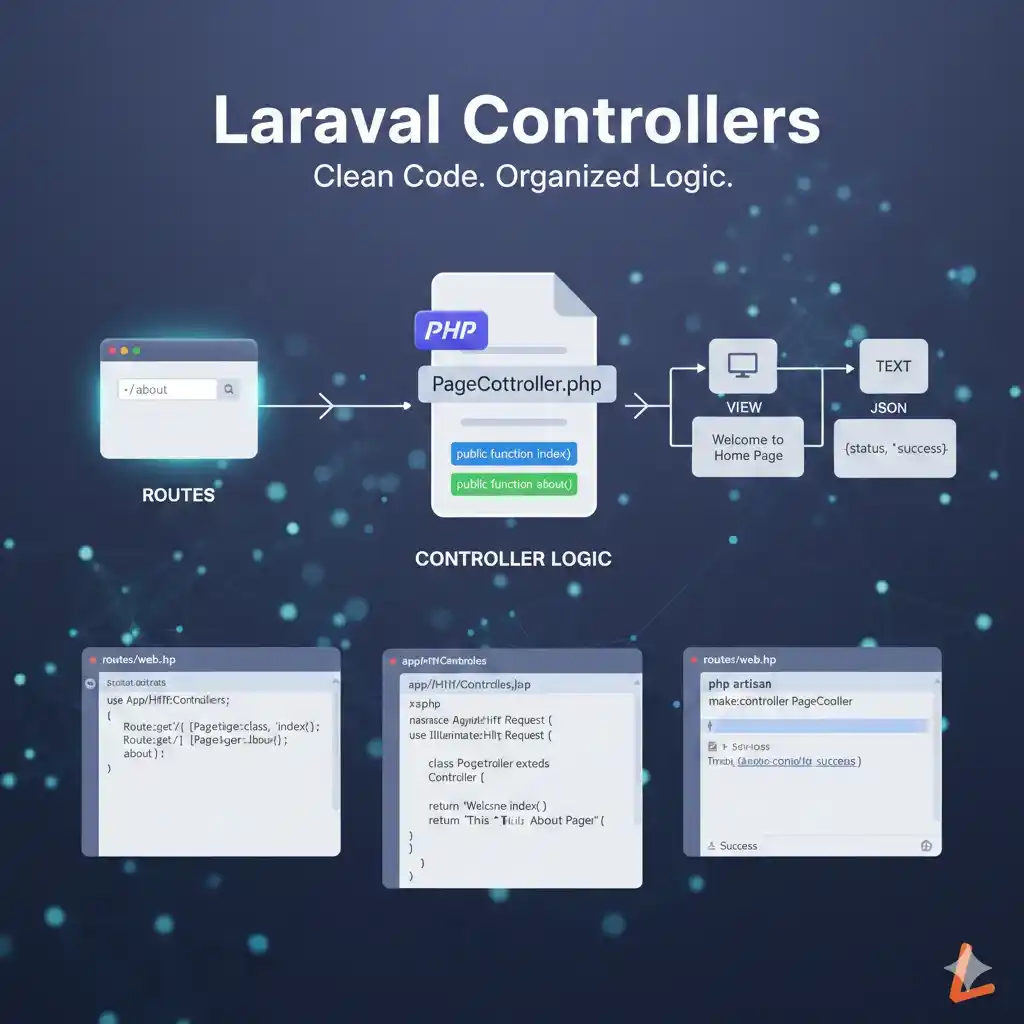
In Laravel, controllers help us keep our code clean and organized.
Instead of writing all logic inside routes, we move the logic into controllers.
Let’s understand controllers step by step.
What is a Controller?
A controller is a PHP class that handles the logic of your application.
In simple words:
- Routes decide which URL is opened
- Controllers decide what should happen next
Controllers are used to:
- Handle user requests
- Process data
- Return responses (views, text, JSON, etc.)
Using controllers makes your code:
- Clean
- Easy to manage
- Easy to understand
Why Use Controllers?
Without controllers, your web.php file can become very large and messy.
Controllers help to:
- Separate logic from routes
- Reuse code
- Manage large applications easily
Laravel follows MVC (Model View Controller) structure, and controllers are an important part of it.
Creating Controllers
Laravel provides an easy command to create controllers.
Open your terminal and run:
php artisan make:controller PageController
This command will create a controller file at:
app/Http/Controllers/PageController.php
Basic controller structure looks like this:
<?php

namespace App\Http\Controllers;

use Illuminate\Http\Request;

class PageController extends Controller
{
    public function index()
    {
        return "Welcome to Home Page";
    }
}
Here:
PageControlleris the controller nameindex()is a method inside the controller- This method returns a simple message
Connecting Routes to Controllers
Now let’s connect a route to the controller.
Open routes/web.php and write:
use App\Http\Controllers\PageController;

Route::get('/', [PageController::class, 'index']);
This means:
- When user opens
/ - Laravel calls the
index()method fromPageController
The route no longer contains logic.
All logic is handled by the controller.
Another Example
Controller method:
public function about()
{
    return "This is About Page";
}
Route:
Route::get('/about', [PageController::class, 'about']);
When user opens:
/about
Laravel shows:
This is About Page
Summary
- Controllers handle application logic
- They keep routes clean
- Controllers are created using Artisan command
- Routes are connected to controller methods
- Controllers make Laravel apps easier to manage
Controllers are very important when building real projects in Laravel.
Category: Laravel
Tags: #Laravel Web Development




1 Likes 0 Comments 14 Views
Leave a comment
Leave a Reply